Minty Cleaner review: Android maintenance and one-tap tools
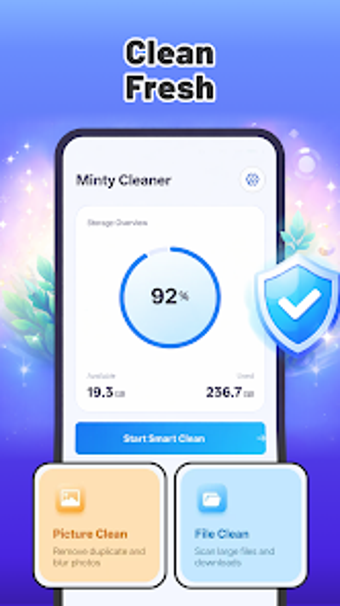
Minty Cleaner from HONDER LIMITED is an Android utility that aims to reclaim storage and improve responsiveness. It offers automated cleaning, RAM optimization, battery-preserving hibernation, CPU temperature monitoring, and photo management to address device slowdowns, overheating, and low storage situations by closing background processes and removing residual files. Highlights include a junk file cleaner, phone booster, battery saver, CPU cooler, duplicate-photo manager, and a one-tap optimization shortcut for quick maintenance. It's aimed at Android owners who need simple tools to free space and improve responsiveness without root access.
What practical maintenance tasks does the app perform?
Minty Cleaner targets common mobile maintenance chores. The app's cleaning component scans internal storage for residual files, system cache, and temporary data. Its memory routine identifies and closes background processes to reduce RAM pressure. The tool also detects high-CPU apps linked to temperature rises and provides photo-management aids that surface large or duplicate images for manual review. These functions map directly to routine storage and responsiveness problems on Android handsets.
Does it affect device responsiveness while running?
Design choices aim to limit runtime impact. The product is presented as a consolidated, lightweight application that runs optimizations on demand rather than continuously. Because the booster closes background processes when invoked, active optimizations reduce RAM load at the time of cleanup. Expect short bursts of CPU activity during scans; most maintenance steps execute after user confirmation so they do not persistently tax the system.
Is it safe to run on a daily driver?
Operational safety is conservative by default. The cleaner focuses on cache and temporary files rather than direct deletion of personal media, and the photo manager requires manual confirmation before removing images. The app does not require root access, which reduces risk of low-level system modification. Those behaviors keep changes at the application level, offering a lower-risk approach for everyday devices.
Do non-technical users need advanced knowledge to use it?
The interface reduces configuration needs and guides routine tasks. One-tap optimization and a clear, approachable layout let casual users run maintenance without delving into system settings. Photo cleanup still asks the user to confirm deletions, which provides a safeguard but adds steps for large libraries. Users who prefer granular scheduling or deeper system control may find the guided workflow more suitable for occasional maintenance than for fine-grained tuning.
Minty Cleaner is a practical maintenance choice for casual Android users
Minty Cleaner is a practical option for Android owners who need straightforward device upkeep and storage recovery with minimal configuration. Compatibility varies by handset, so some features may behave differently across models. As a free, ad-supported tool, expect in-app promotion that can affect the polish of the experience. The app performs reliably for routine cleanup and basic system upkeep on modern Android devices.
Laws concerning the use of this software vary from country to country. We do not encourage or condone the use of this program if it is in violation of these laws. Softonic may receive a referral fee if you click or buy any of the products featured here.